Features
Keep the pieces of your homeschool together.
Commonplace brings attendance, courses, reading, grades, activities, work samples, reports, and the family rhythms around them into one flexible place—without prescribing a curriculum, schedule, or homeschool method.
Your first visit
Start with one child and one useful thing.
You don’t need to enter your whole curriculum or recreate previous years. Start where your family is today.
01 · Your people
Add a student
Give one child a place for their learning. Add the rest of your family whenever you’re ready.
02 · Your year
Choose a school year
Start with the year you’re living now. Earlier years can wait.
03 · A small start
Save one useful item
Mark attendance, add a finished book, or save a piece of work you want to remember.
Keep the work you’ve already done
Your spreadsheets can come with you.
Bring reading lists, attendance, or past courses from Excel or CSV. Match your columns, review the preview, and fix anything that needs attention before you save.
Start with one list. You can bring the rest over later.
See how spreadsheet imports work ↗Keep the little things as you go.
Commonplace connects the small things you already track, so reports do not begin with a search through last season’s papers.
Attendance & hours
Track full days, half days, instructional hours, and core hours, with progress against your chosen annual target.
Assignments & grades
Use total points, percentages, weighted categories, or complete/incomplete grading independently for each course.
Reading log
Record read-alouds, independent reading, authors, pages, subjects, due dates, recommendations, and completed books.
Journal & activity logs
Capture reflections, discoveries, work samples, and the context that grades and checkboxes miss.
Documents & attachments
Keep photos, files, audio, and helpful links beside the child, course, or activity they belong to.
Budgeting
Compare planned and actual spending across your family, students, subjects, and categories.
Reports without rebuilding the year.
Generate attendance records, grade reports, progress reports, reading lists, course-of-study documents, portfolios, transcripts, checklists, and consolidated record packets from information already in Commonplace.
Keep the day connected.
Use the day-to-day tools that fit your family without turning Commonplace into a lesson planner.
Calendar
Combine everyday lessons, appointments, co-op meetings, field trips, and recurring activities in one family calendar.
Loops & rotations
Rotate subjects or resources in order instead of forcing everything into a Monday-through-Friday grid.
Daily flow
Group learning into morning, midday, afternoon, or evening and see what belongs to today.
Curriculum
Keep each child’s books, programs, courses, dates, schedules, and notes together.
Checklists
Give each student a clear day while keeping personal and whole-family tasks close by.
Calendar import
Bring existing schedules into Commonplace instead of starting every plan from scratch.
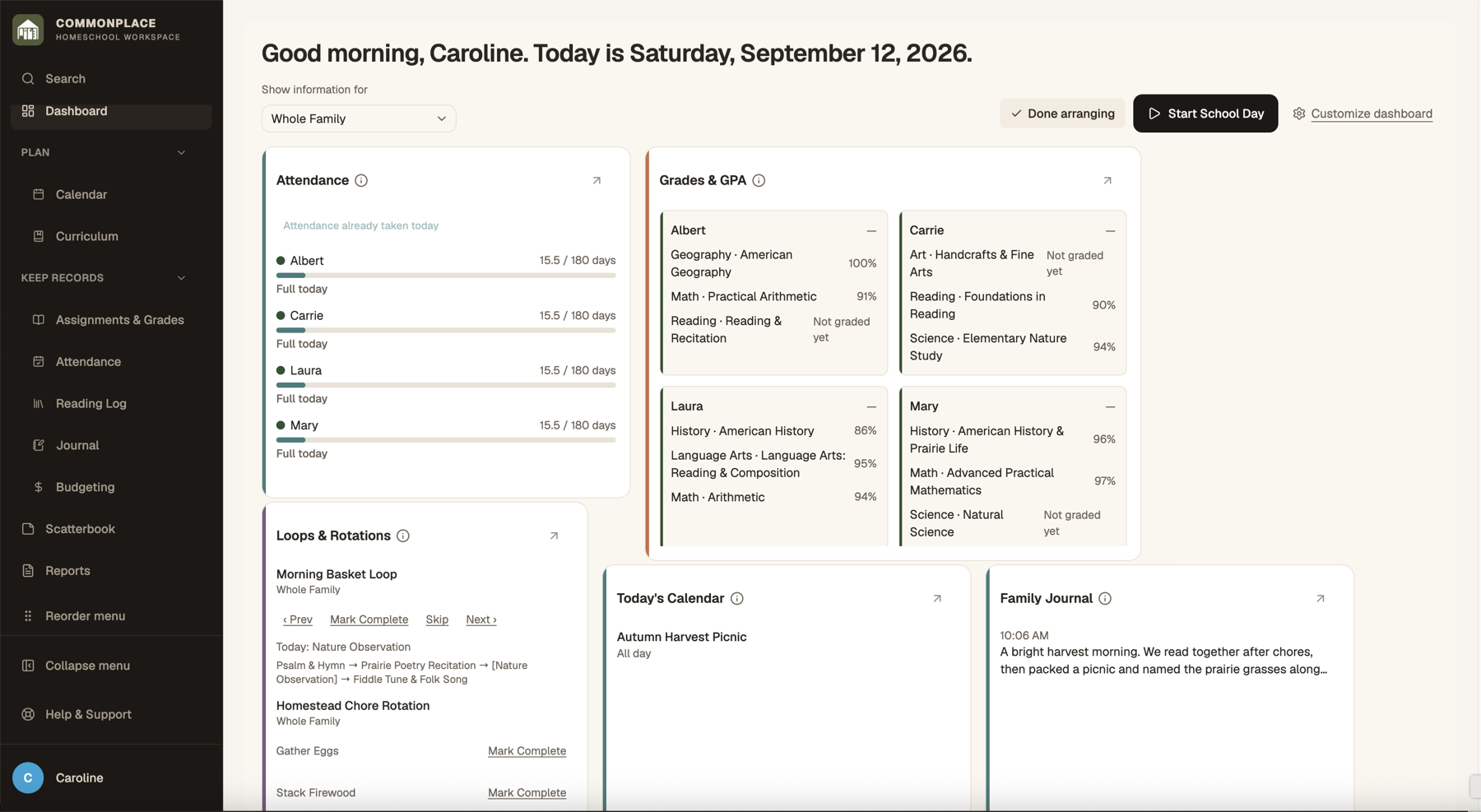
Useful from now through graduation.
Multiple children
Filter family information by student while keeping shared learning and whole-family activities truly shared.
Student accounts
Choose which tools each child can access and give them a focused view of their own work.
Year-to-year continuity
Carry ongoing curriculum forward, preserve finished records, and keep each school year distinct.
Year-end readiness
See what is saved and what you may want to add. Records at a Glance is a helpful check-in, not a list of extra requirements.
Data export
Download your information and media so your homeschool history remains portable.
Installable workspace
Add Commonplace to a phone, tablet, or computer for quick access and a focused app-like experience.
A simple start. Room to make it yours.
Use what helps today, and find more when you need it. Students can have a calm space of their own, too.
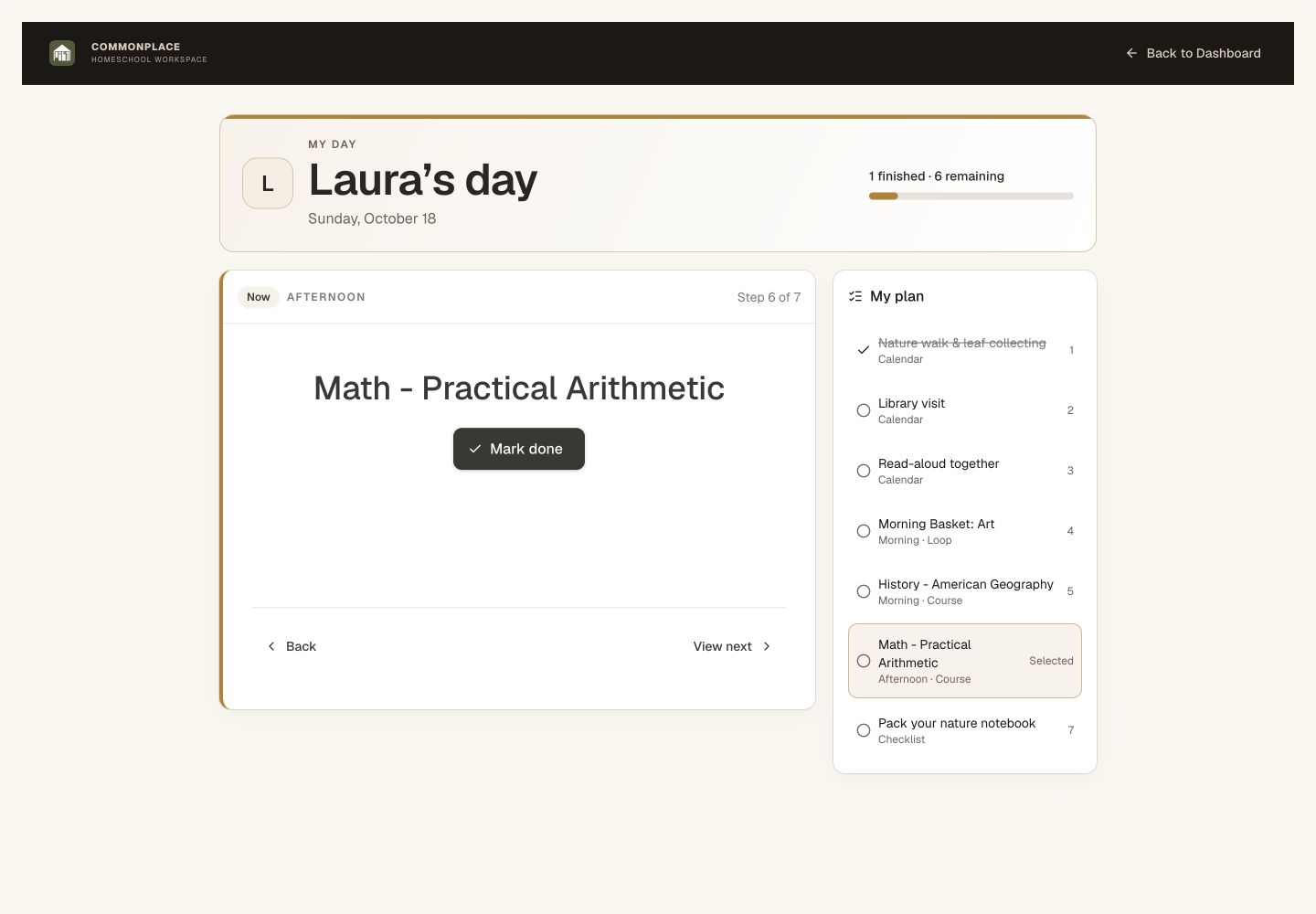
A space of their own
My Day gives each student their own task list, one clear next step, and a gentle acknowledgment when the day’s list is finished. You choose which tools their login can use.
See the student view →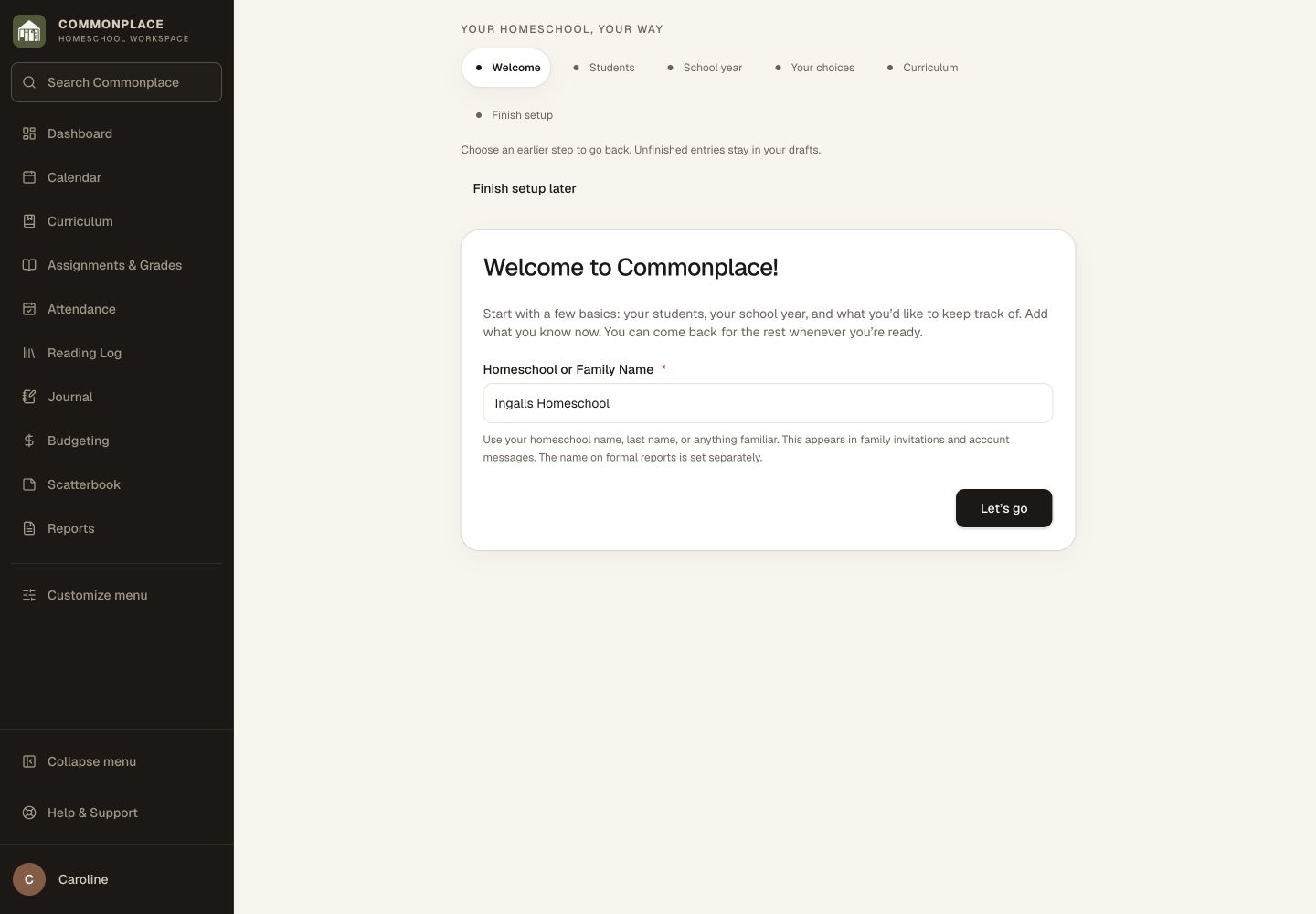
A welcoming first step
Guided setup starts with students and a school year shared by the family. Go back to review or edit a saved step, and add the rest when you are ready.
See setup and discovery →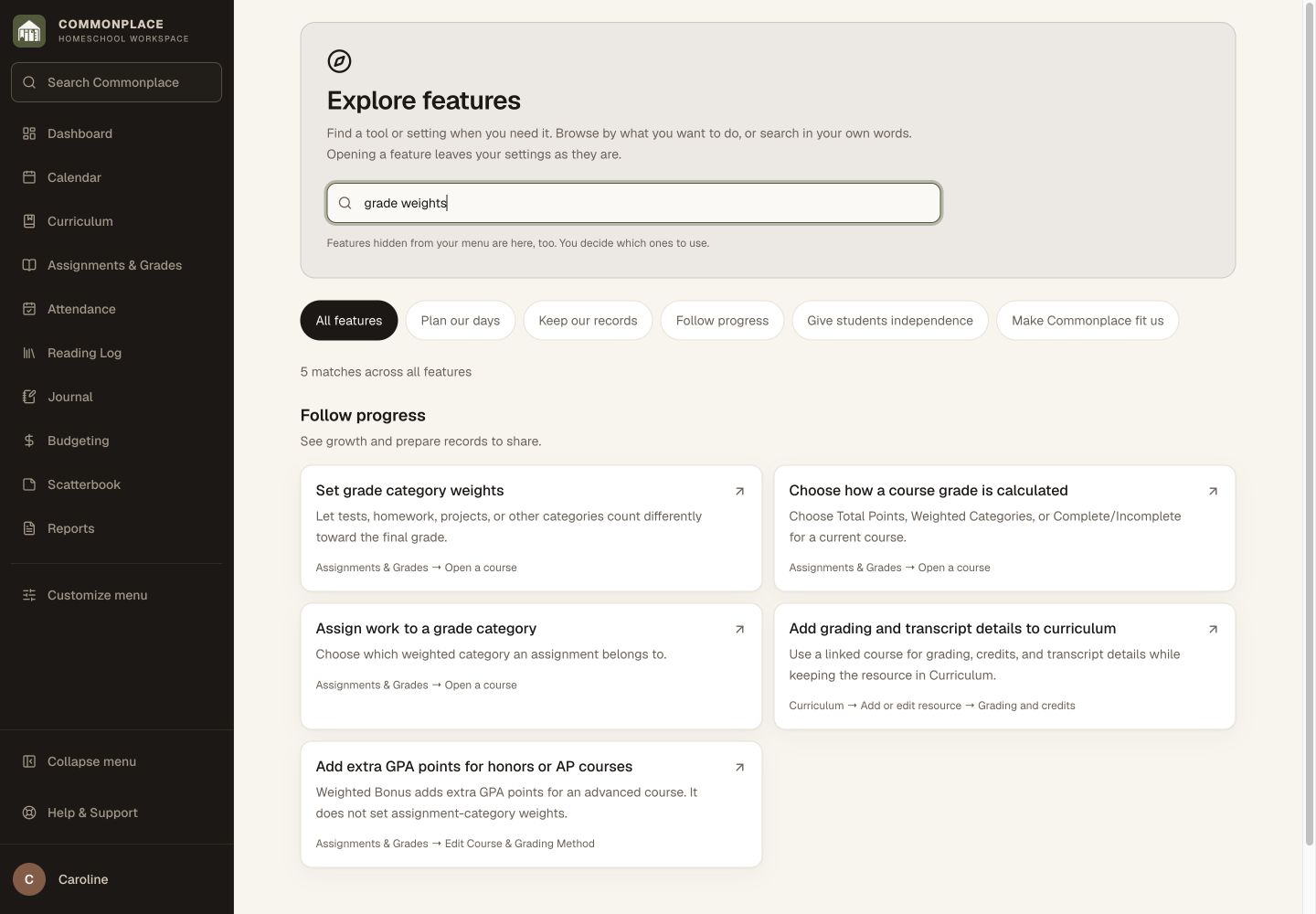
Find the option you had in mind
Explore features lets you search in your own words, including grade weights, core hours, book notes, and tools hidden from your menu. Opening a result does not turn features on.
See feature search →Home education, held together.
Spend less time managing homeschool and more time focused on your children.
Start your free 14-day trial