Homeschool gradebook
Grades that fit the way you teach.
Enter assignment scores as you go. Commonplace calculates the current course grade and uses the same course records for reports and transcripts. Choose a grading method for each course, including ungraded learning.
14 days free. No credit card. No automatic charge.
Then $9.99/month or $79/year for your whole family. See family pricing.
You choose what to save and can export it anytime. We don’t use your children’s homeschool information for advertising. Read our privacy policy.
Mathematics
See the result
Enter the scores once. Use the grade again.
- Record the scoreKeep the result with its assignment.
- See the course gradeCommonplace updates the calculation.
- Let it do more.Review it for reports and transcripts.
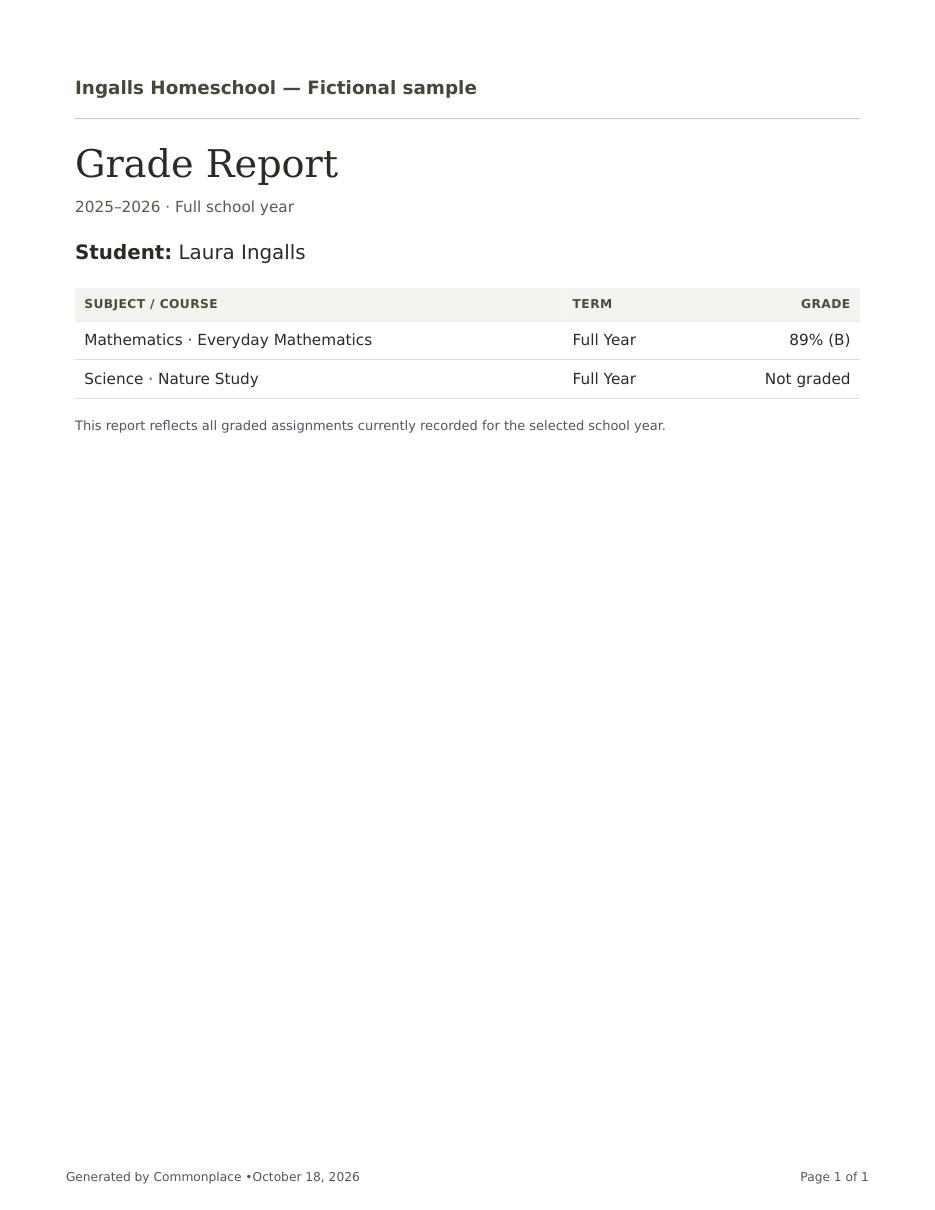
Laura’s math example has 40/50, 46/50, and 92/100 points: 178 out of 200, or 89%.
- The grade report shows 89% (B) using the sample grading scale.
- An ungraded nature-study course stays clearly marked “Not graded.”
- The same math result also appears in her record packet.
Fictional Ingalls family data. Actual PDF generated by Commonplace.
Every student and course, organized
See the gradebook without losing the rest of the homeschool year.
Courses stay grouped by student and subject, with the grading method and current result visible at a glance. Open the course when you need the assignment-level detail.
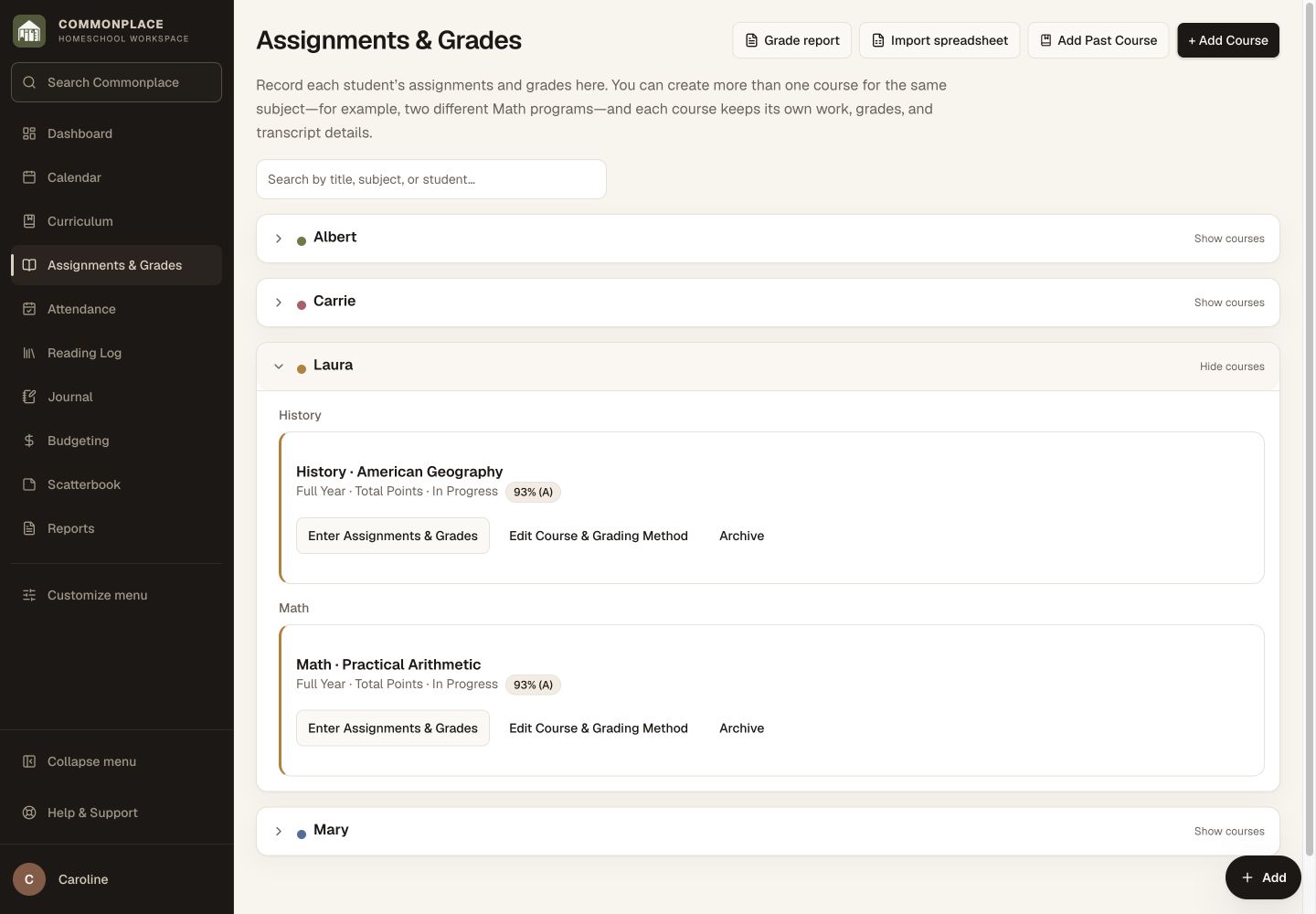
Fictional family data shown. Each course keeps its own assignments, grading method, and result.
See everyday grade entry
A few scores to enter? Keep them together.
Open a course, choose “Enter several grades,” and record scores for assignments you’ve already added. Save each result as you go and see the course grade update.
Having trouble playing this? Open the video directly.
Record grades for multiple assignments
Record scores for existing assignments in one place and see the course average update.
Read the video captions
- Record scores without opening each assignment.
- Enter a score and completion date.
- Save each result as you go.
- The course grade updates from your scores.
- Open detailed records whenever you need them.
- Commonplace · Homeschool workspace
Edited demonstration using fictional family data. Typing and waiting have been shortened.
One gradebook, different approaches
Use the grading method that makes sense for each course.
A practical math course does not have to be graded like a literature discussion or a hands-on art course. Commonplace lets each course stand on its own.
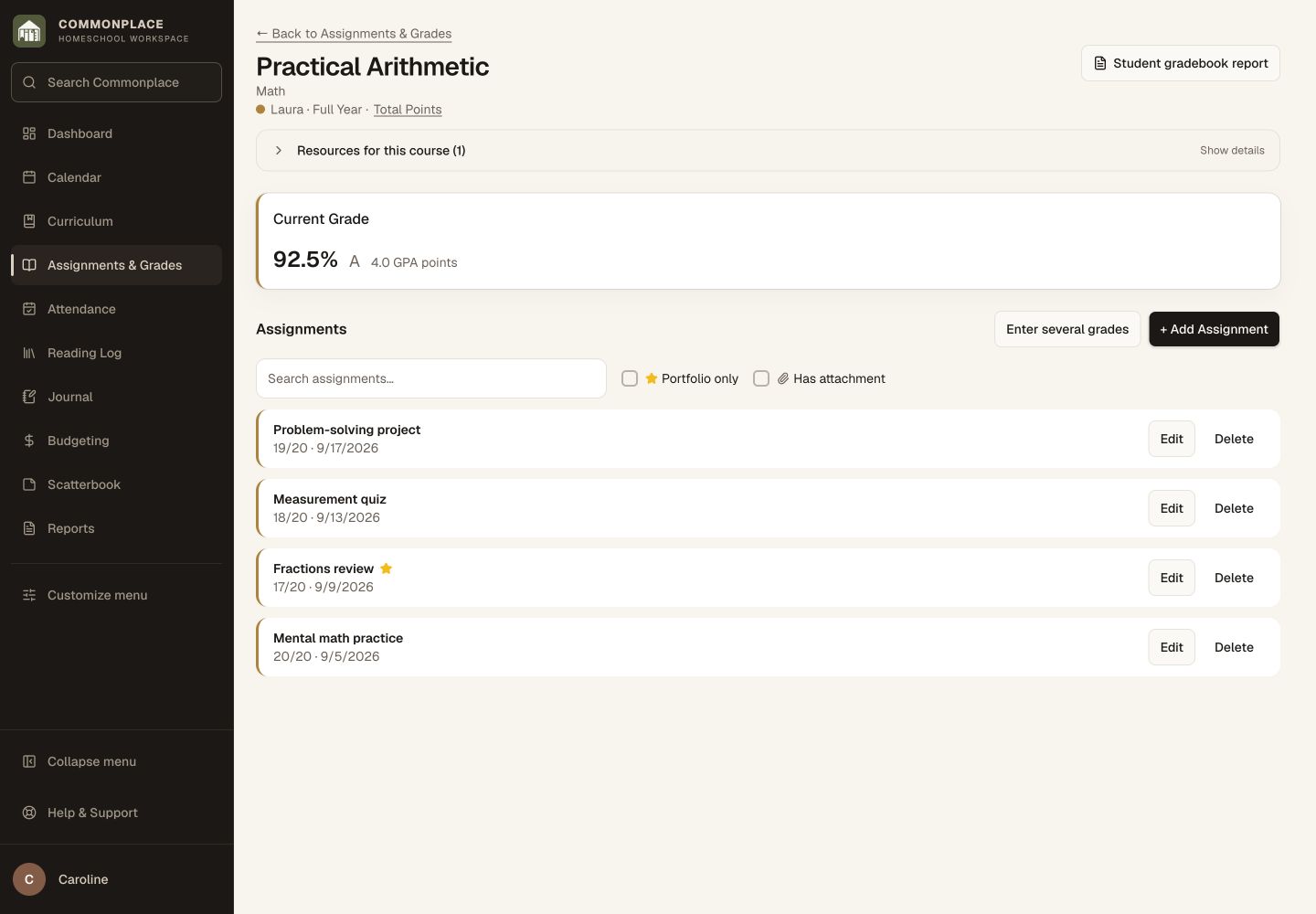
Total points
Add points earned and points possible. Commonplace keeps the running course percentage current as new work is recorded.
Percentages
Record assignment percentages directly when that is the clearest way to evaluate the work.
Weighted categories
Give different kinds of work their own weight when tests, projects, daily work, or other categories should contribute differently.
Complete or incomplete
Track completion without forcing a letter or number grade onto learning that does not need one.
Simple by design
From finished work to grades you can use.
Add scores and details while the course is happening. When it’s time for a report or transcript, that work is already there.
Create the course
Choose the student, subject, dates, curriculum connection, and grading method for that particular course.
Record assignments
Add the work and result, with optional dates, notes, time, portfolio details, or supporting files when useful.
Put the grades to work
Review the course grade, then use the same information for reports and transcripts.
The detail stays close
Keep scores, context, and work samples with the course.
Search assignments, correct an entry, and keep the supporting details beside the work instead of spreading the course record across a grade spreadsheet, calendar, and file folder.
Reports without retyping
Keep the gradebook now. Build the transcript from it later.
The grades and course details you record throughout the year can support grade reports, progress reports, transcripts, portfolios, and consolidated record packets. The daily work and the formal record stay connected.
Grade report
Laura Ingalls · 2026–2027
Common questions
Homeschool grading, in plain language.
Does Commonplace calculate course grades automatically?
Yes. Commonplace calculates the current course grade from the scores you record, using that course’s grading method. Numeric results use the grading scale you set for the school year to determine letter grades.
Can I enter several assignment grades in one place?
Yes. Open a course and choose “Enter several grades.” Your existing assignments appear together so you can enter scores and completion dates, saving each grade as you go. The course grade updates from those saved scores.
Will I need to enter these grades again for a transcript?
The transcript draws from the same course records. Review the selected years, course titles, grades, credits, and completion status before finalizing; you do not need to maintain a separate transcript spreadsheet.
Can different courses use different grading methods?
Yes. One course can use total points while another uses percentages, weighted categories, or complete/incomplete grading.
Do I have to grade every homeschool course?
No. Commonplace supports families and courses that use formal grades, informal completion records, or no grades at all.
Can I have more than one course for the same subject?
Yes. A student can have multiple courses within a subject, and each course keeps its own assignments, grades, and transcript details.
Can assignments include more than a score?
Yes. You can add optional scheduling details, time, notes, portfolio information, attachments, and other context when it is useful.
Keep the gradebook close to the learning—not in another spreadsheet.
Start with one course, then use as much—or as little—of the Commonplace homeschool workspace as your family needs.
Start your gradebook free14 days free. No credit card. No automatic charge.
Then $9.99/month or $79/year for your whole family. See family pricing.